
After moving to a new QTH in the countrysidw last spring, I spent much of the summer working on a new antenna installation. My new shack will eventually be built in the garage. The storage room above the garage is due to be converted into a bedroom in November, so until that work is finished, I have to make do with a temporary shack with very limited space.
There simply isn’t enough room for a PC and monitor. So, no digital modes for the time being? As it turns out, there is a surprisingly simple alternative.
No room for a computer
Computers have become almost indispensable in the modern ham shack. But in my temporary micro-shack, there simply wasn’t enough space for a PC and monitor. That was a shame, because I enjoy working digital modes such as FT8, not least because they are useful when experimenting with different antenna configurations.
My Yaesu FTDX10 does not have built-in standalone FT8 capability. The only laptop I have is supplied by my employer and may only be used with approved company software. So I needed another solution.
I asked ChatGPT a simple question: how can I operate FT8 without a PC or laptop?
FT8AF on an Android smartphone
The answer came almost immediately: if you have a smartphone or tablet running Android, you can use an app called FT8AF. With nothing more than a USB-C-to-USB-B cable, the smartphone should be able to handle both the audio to and from the FTDX10 and CAT control of the transceiver.
The FT8AF website looked promising. I have tried quite a few ham-radio apps over the years. Some were excellent, while others barely worked at all, so my expectations were not particularly high. Nevertheless, I paid € 3.59 for FT8AF in the Google Play Store and installed it on my OnePlus Nord 2 running Android 13.
Connecting and configuring the FTDX10
I started the app and connected the smartphone directly to the FTDX10 using a USB cable. Configuration turned out to be remarkably simple. I only had to enter a few settings:
- Callsign: PA9X
- Grid locator: JO21hs
- Transceiver control: CAT
- Transceiver: Yaesu FTDX10 — many other radios are supported as well
- Serial port: the first one shown in the list
The audio interface was detected and configured automatically. And that was basically it.
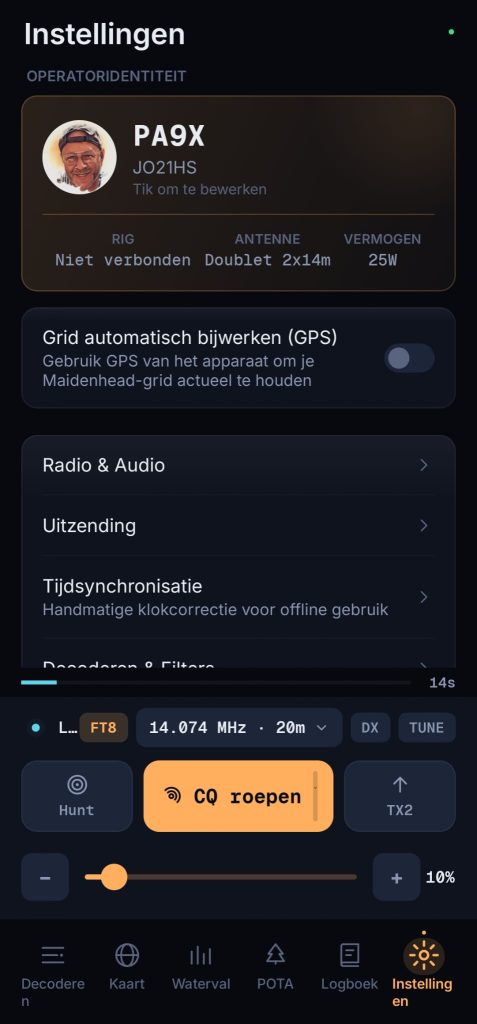
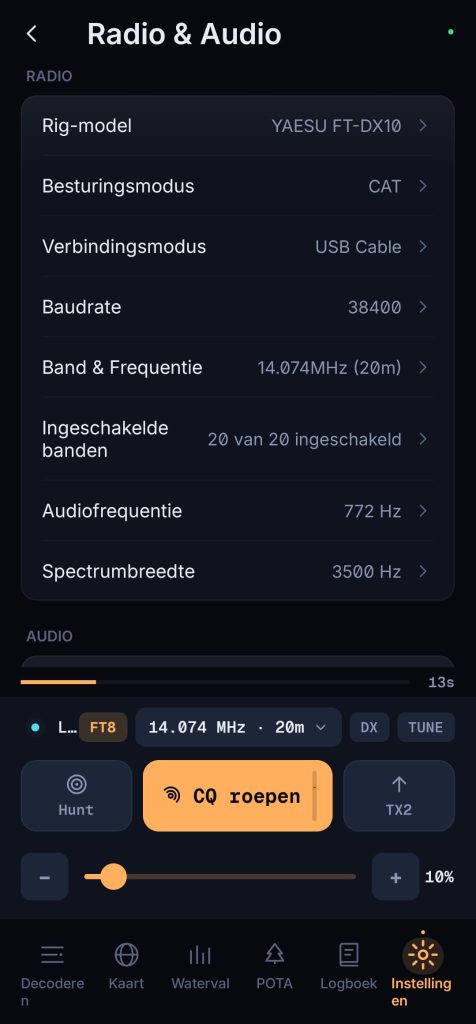
And immediately, stations started decoding
I enabled Decode in the app and, sure enough, the first FT8 stations immediately started appearing on the screen of my smartphone. Receiving was working. But would transmitting be just as easy?
I pressed Call CQ and the FTDX10 went straight into transmit. The ALC meter confirmed that audio was being sent to the transmitter. The audio level, and therefore the drive level, can easily be adjusted using a slider in the app. Within just a few minutes, I was QRV on FT8.
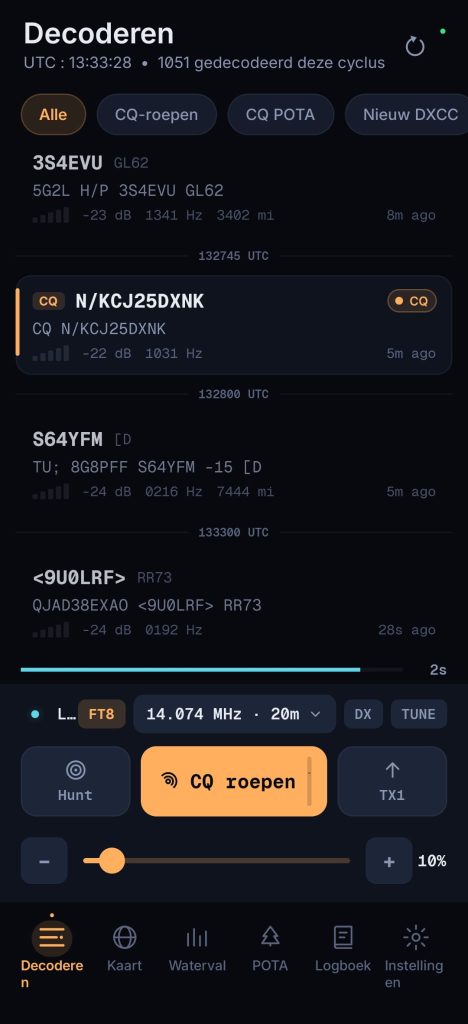
PSKReporter, waterfall and logging
FT8AF does more than simply decode and transmit FT8 signals. Received spots can automatically be uploaded to PSKReporter, and you can display a world map with received spots directly from within the app. FT8AF also includes a waterfall display and a dedicated POTA option. QSOs can be logged and exported as an ADIF file.
There are also plenty of settings available to customise the operation of the app to your own preferences.
Also useful in the home shack
FT8AF appears to have been designed primarily with portable operation in mind, and it is certainly ideal for that purpose. In principle, all you need is a transceiver, an Android smartphone or tablet, and a USB cable.
But I also think the app is very useful in a permanent home shack. The only real drawback when using a smartphone is the relatively small screen. In fact, using FT8AF made me curious about how well it would work on a larger Android tablet.
There is one other limitation worth mentioning: my phone does not charge through the USB connection to the transceiver. So make sure your smartphone is sufficiently charged before starting a longer FT8 session.
Much easier than running FT8 on a PC
In the past, getting FT8 software on a PC to work properly with my FTDX10 took quite some time. Audio devices, CAT control, COM ports and software settings all had to be configured correctly. With FT8AF, I had everything working within a matter of minutes.
For me, that makes the app very easy to recommend, particularly considering that it costs only € 3.59 through the Google Play Store, with updates delivered automatically. If you want to try it first, FT8AF is also available as a free APK download from GitHub.
If you want to operate FT8 without a PC or laptop, or you simply want a nice compact FT8 station, FT8AF is a very attractive solution.
Want to know more?
You’ll find more on the FT8AF website.